Lab 1.6 - Create the Virtual Server
In this section you will configure a RADIUS server to enable simulated MFA capabilities.
Task - Configure Virtual Server
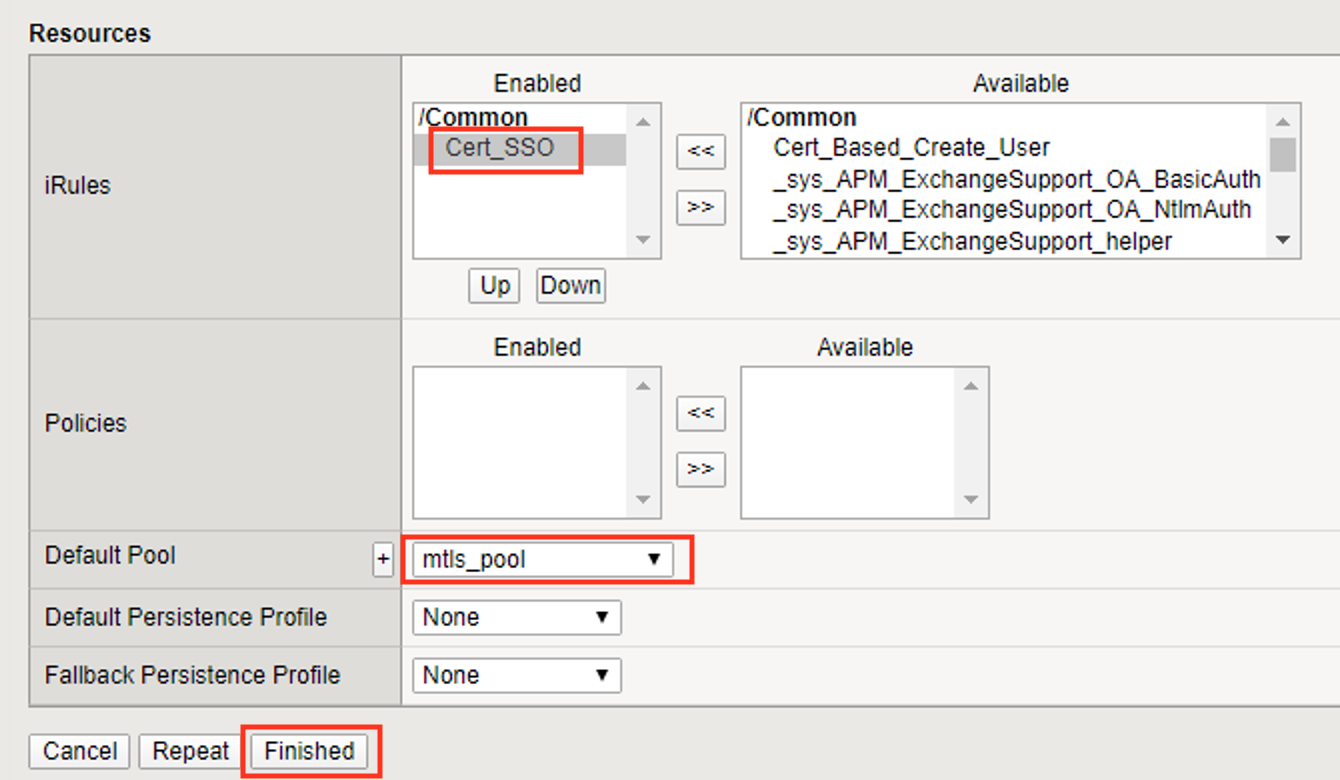
Navigate to Local Traffic >> Virtual Servers >> Virtual Server List, then click the + (plus symbol) to create a new virtual Server
Enter mtls_vs for the Name
Enter 10.1.10.105 for the DestinationAddress/Mask
Enter 443 for the Service Port
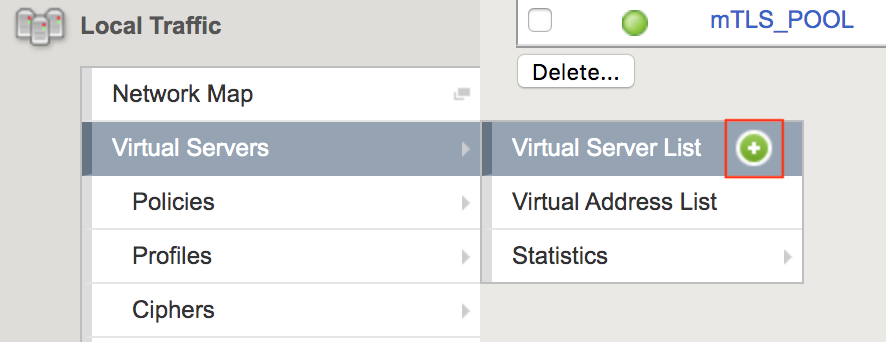
Select http for HTTP Profile (Client)
Select client_certsso from the SSL Profile (Client) List
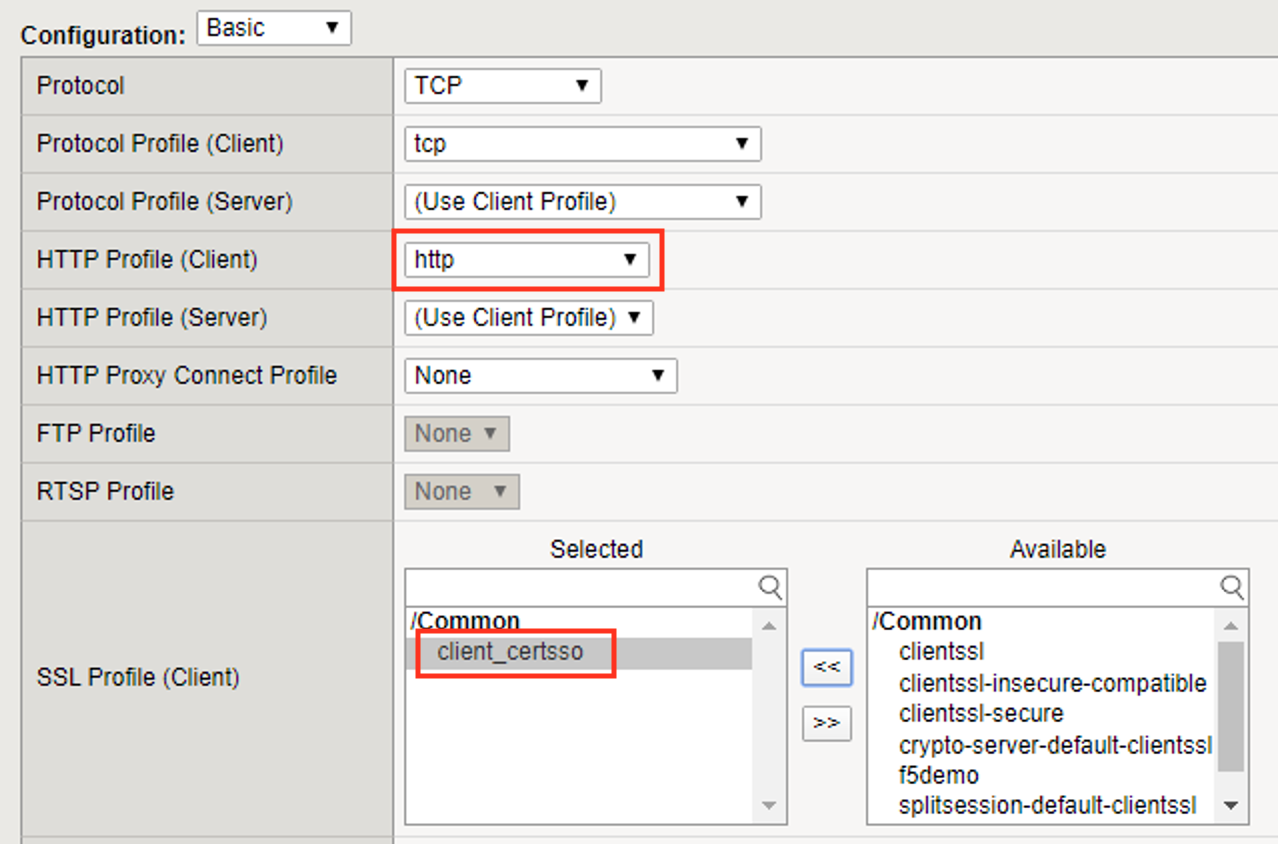
Select server_certsso from the SSL Profile (Server) List
Select Auto Map from the Source Address Translation dropdown Box
Select cert_sso from the Access Profile dropdown Box
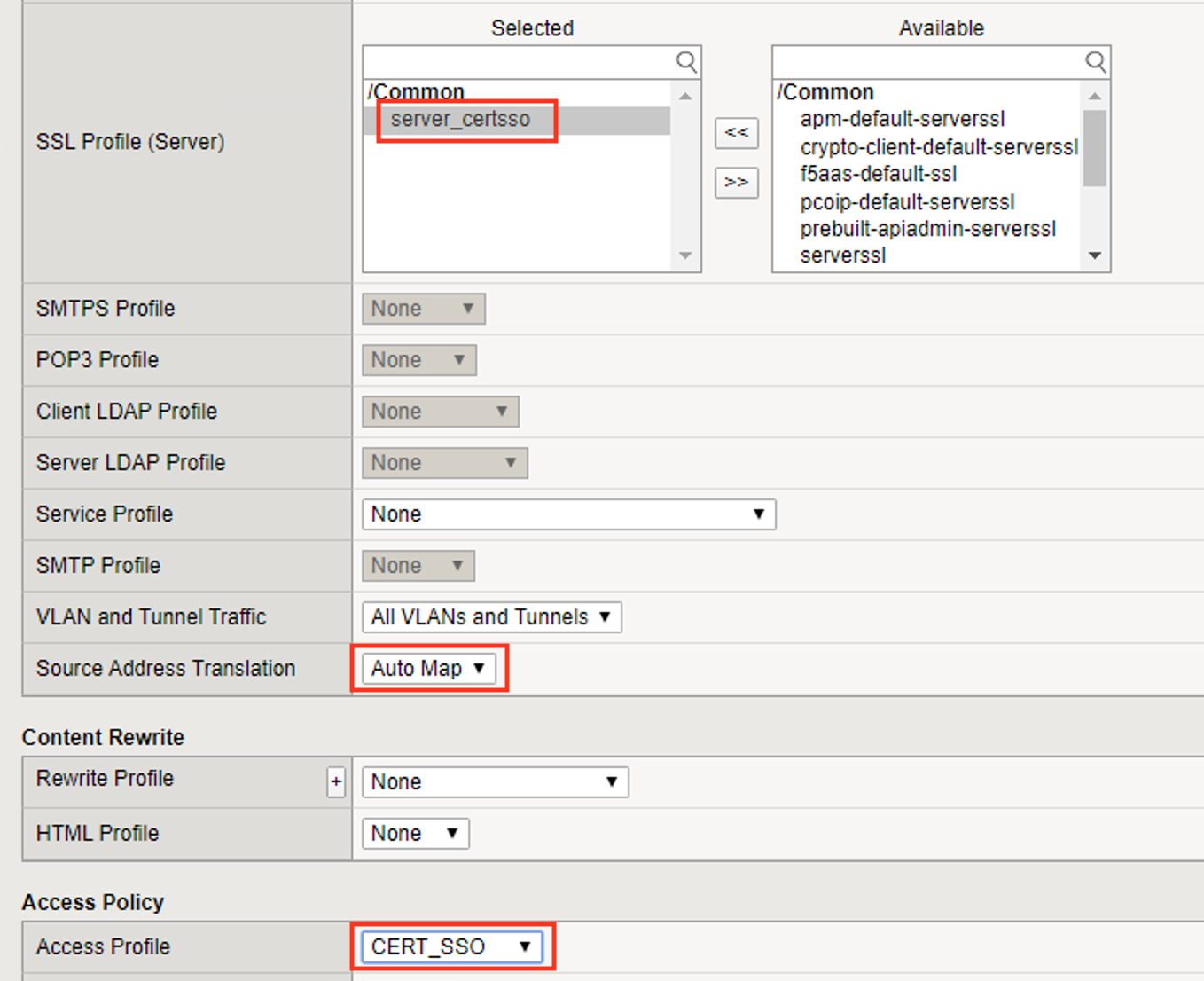
Select the irule Cert_SSO
Select mtls_pool for the Default Pool
Click Finished
Note
The following iRule must be used when inserting custom extensions using C3D.
1 2 3 4 5 | when SERVERSSL_CLIENTHELLO_SEND {
set username [ACCESS::session data get "session.logon.last.username"]
set domain [ACCESS::session data get "session.ad.last.actualdomain"]
SSL::c3d extension 1.1.1.1 "Minted Extension=$username@$domain"
}
|