Lab 1.2 - Create an API Protection Profile
The API Protection profile is a combination of APM and AWAF features to protect any API.
Task 1 - Create an API Protection Profile
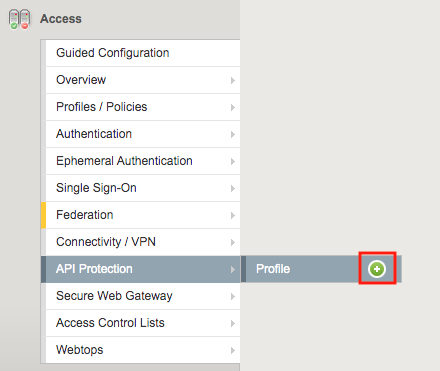
Navigate to API Protection >> Profile. Click the + (plus symbol)
Note
json file is located on the jumpbox in c:\labs\class1\student_files
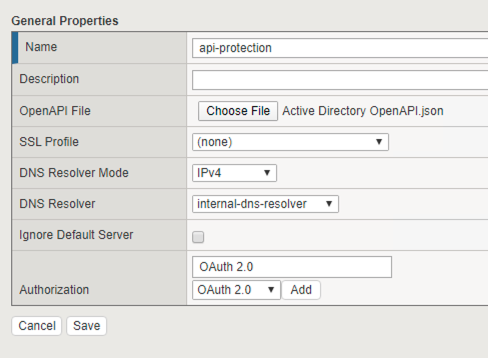
Enter the following parameters:
- Name: api-protection
- OpenAPI File: Active Directory OpenAPI.json
- DNS Resolver: internal-dns-resolver
- Authorization: OAuth 2.0
Click Add
Click Save
Task 2 - Explore the Path Configuration
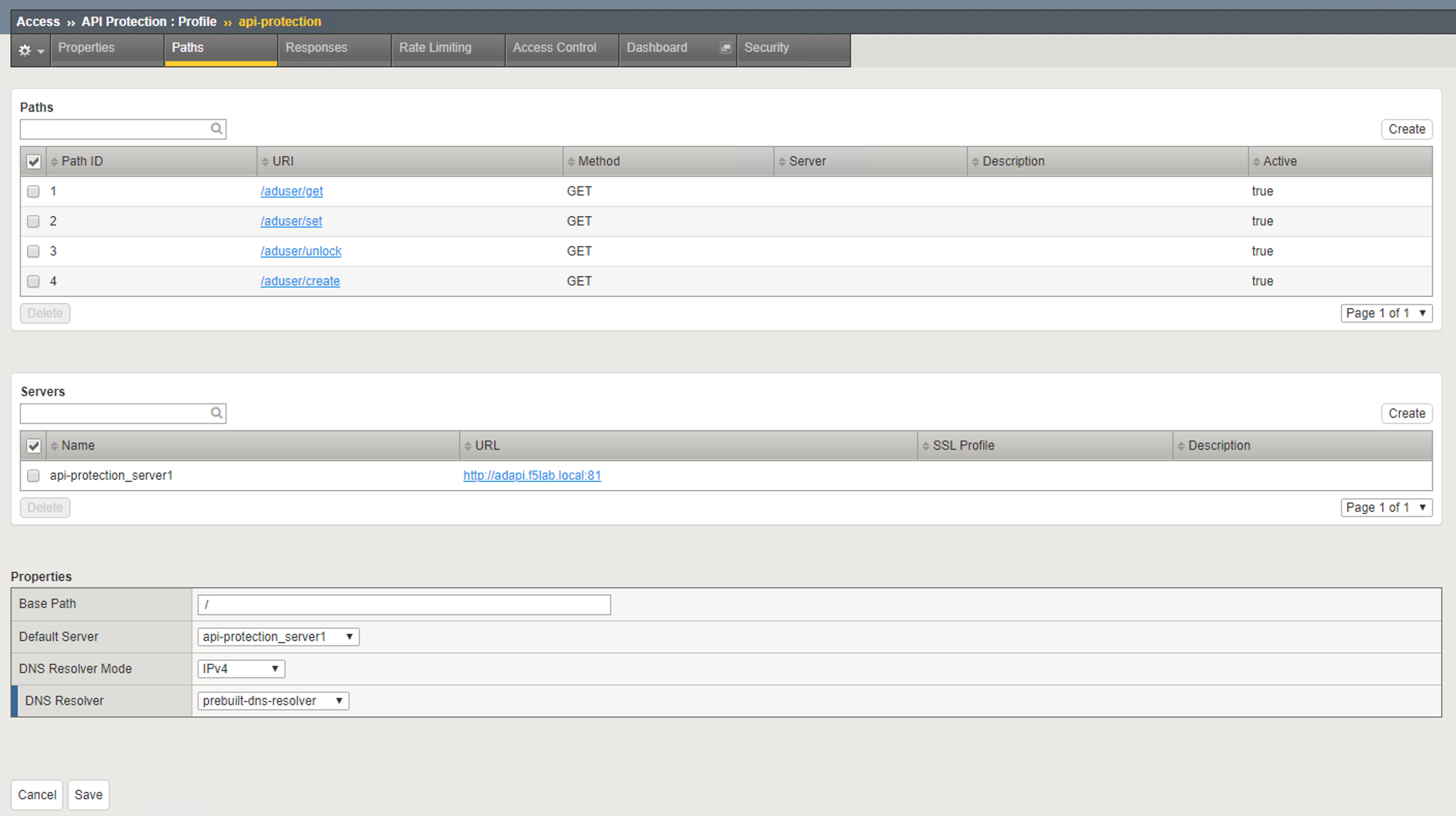
Note the Spec file contained four paths to various URIs
Each URI only supports the Method GET
The APIs server URL is http://adapi.f5lab.local:81
Task 3 - Associate a JWT Provider
Click Access Control from the top ribbon
Click Edit (Per Request Policy)
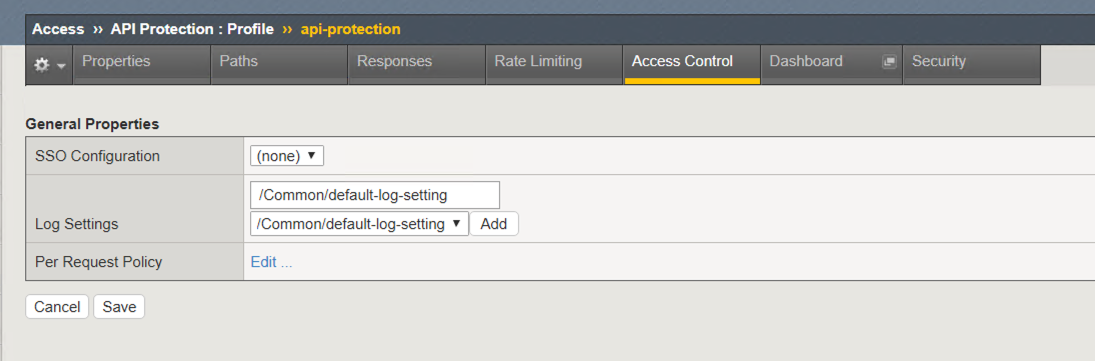
Notice the same paths displayed in the API Protection profile appear here. Currently there is no fine-grained access control. We will implement it later in the lab
Click the + (plus symbol) next the Subroutine OAuth Scope Check AuthZ to expand its properties:
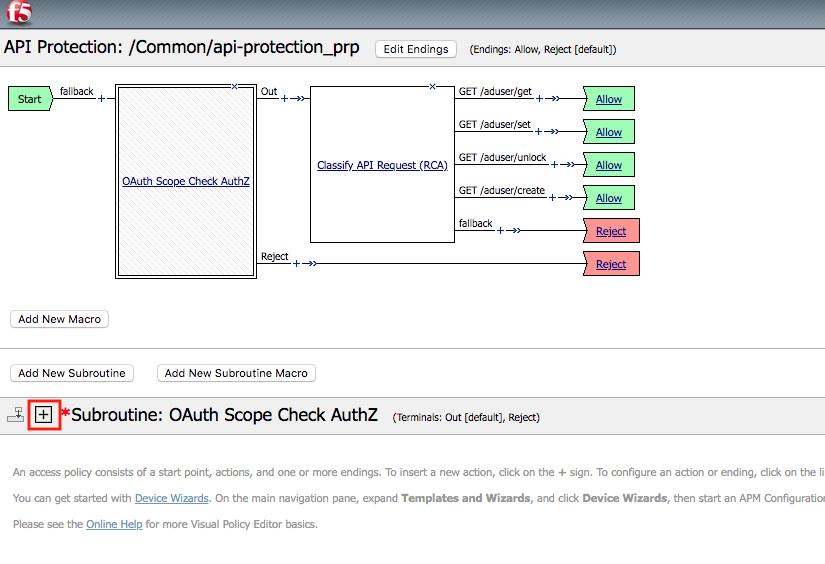
Note
The OAuth scope agent currently has a red asterisk since no provider is associated with it.
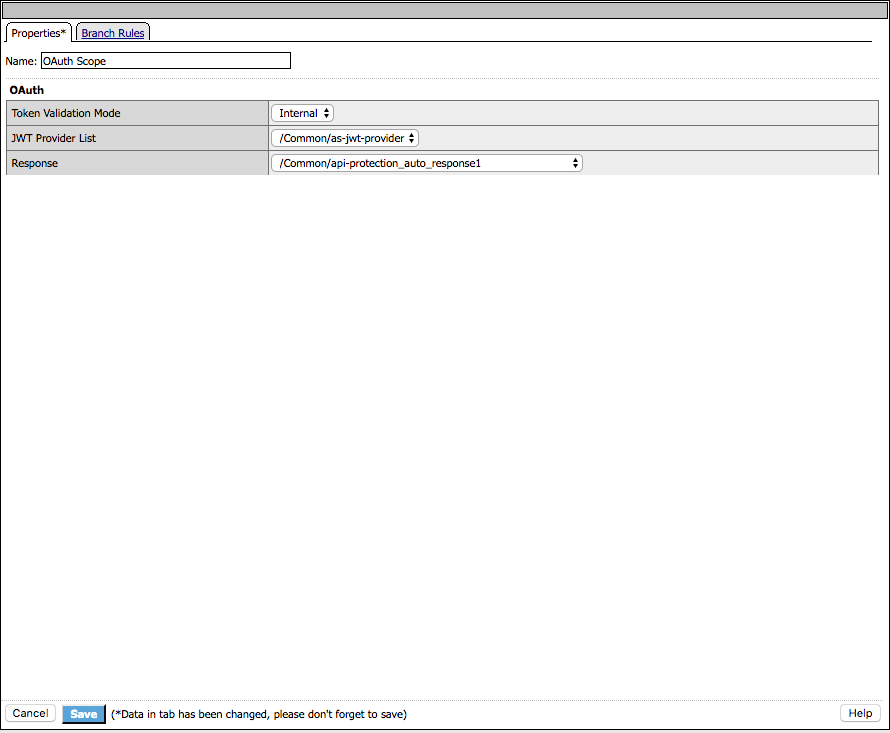
Click OAuth Scope
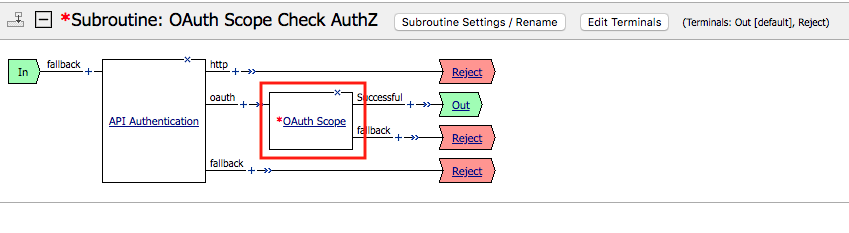
Enter the following parameters:
- Token Validation Mode: Internal
- JWT Provider List: as-jwt-provider
- Response: api-protection_auto_response1
Click Save